
Occupational therapist and professor Olalla Sáiz Vázquez and her students Marta Rupérez, Ainhoa Unzúe, Irene Urquía, and Irene Urquijo explain how to create a language session for people with mild cognitive impairment using NeuronUP.
Rationale
The intervention focuses on people without cognitive impairment and people with mild cognitive impairment (MCI).
The session was designed using the NeuronUP platform, from which all the activities were taken, choosing those most suitable for helping users achieve the proposed goals.
The cognitive function this intervention aims to stimulate is language. In addition, each of the activities will also stimulate immediate memory and sustained attention.
After an initial assessment, whether by gathering information from other professionals or carrying it out themselves, the professional will be able to identify individual and group needs and set goals. They will then design an intervention plan and implement it as described below. After the intervention, the professional will carry out a final assessment to check whether the goals were achieved and how effective the intervention was.
Goals of the language session for people with mild cognitive impairment
General goal
The general goal of the cognitive session is to stimulate language and make the most of users’ preserved language skills.
Specific goals
The specific goals of this language session are to:
- Support verbal fluency.
- Encourage spatial orientation.
- Support number recognition and comprehension.
- Support reading and writing comprehension.
- Strengthen spatial relations.
- Stimulate short-term memory.
Planned activities
Below, we explain the NeuronUP activities selected for the language session for people with mild cognitive impairment.
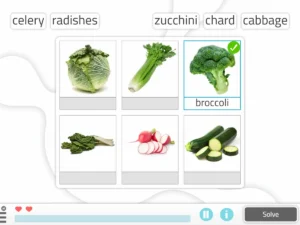
1. Matching Nouns to Images
What does it involve?
Match each noun with the image that represents it.
What does this activity work on?
- Exercise reading and writing comprehension.
- Support verbal fluency.
- Exercise oral comprehension.
- Support object recognition.
- Exercise vocabulary.
- Maintain anterograde and semantic memory through reminiscence using everyday objects.
- Preserve immediate memory.
- Encourage spatial orientation.
Duration
10 minutes, including the explanation of the activity and the wrap-up.
Description
- For this activity, users sit together facing the screen where the projector image is shown. They are given paper and pens.
- The professional opens NeuronUP on the computer and selects the activity “Matching Nouns to Images.”
- The level with the images whose theme best suits the group is selected; in our case, we chose the advanced-level worksheets, which show everyday and old-fashioned objects, in order to encourage reminiscence.
- After preparing the materials, the activity is explained: only the NeuronUP images are shown, and the professional says the words aloud.
- Each image is assigned a number, and when the therapist says the word, users have to write down the number of the image they think it is.
- Every six images, the answers are checked aloud, taking turns so that all users participate.
Play by levels
There are five levels. The easier levels are simpler, with fewer images to match to their nouns and simpler words, while the more advanced levels have more words that are more difficult.
Format
It’s available in both digital and paper format.
Children’s version
This activity has a children’s version called What’s its name?.
Languages
This worksheet is available in Spanish, English, French, Portuguese, and Catalan.
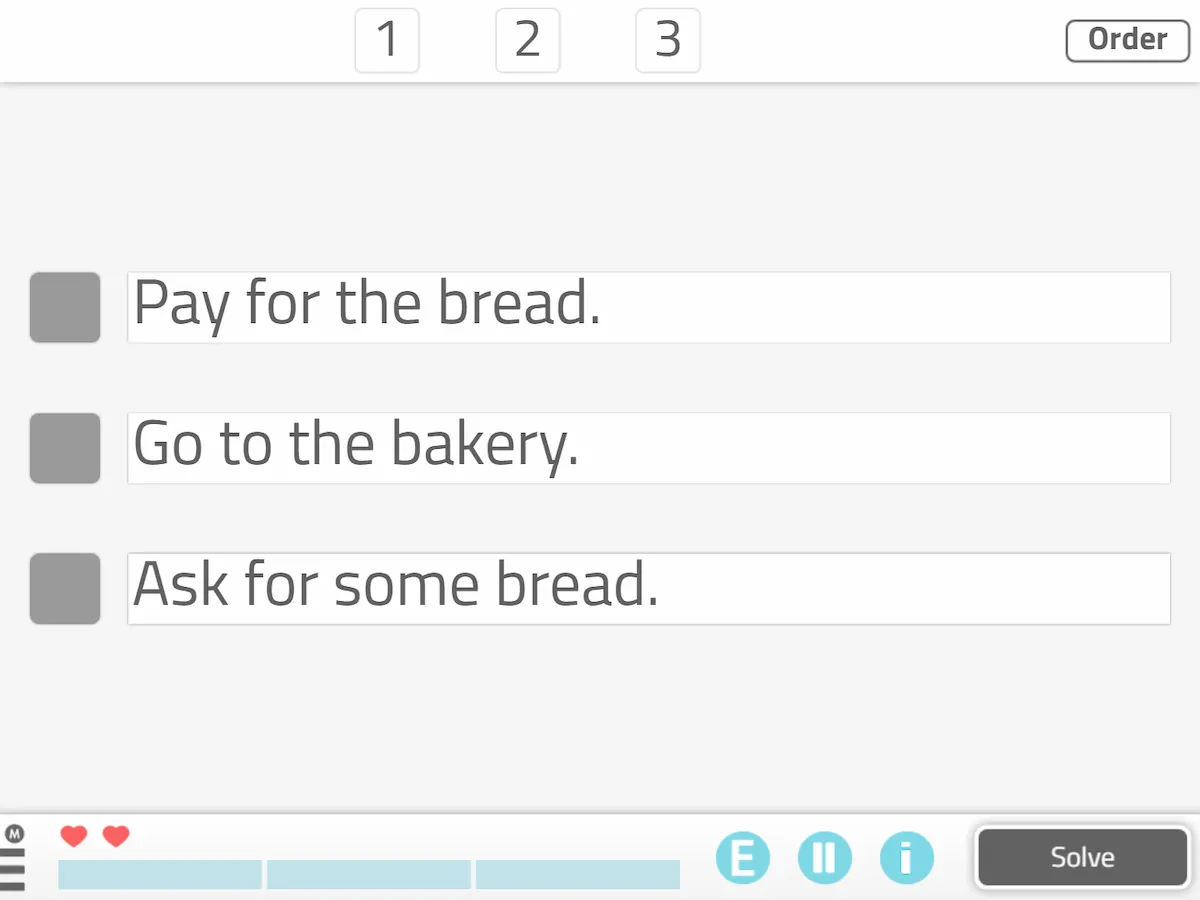
2. Task sequencing (text-only)
What does it involve?
Put in order the different steps needed to carry out an activity (written content).
What does this activity work on?
- Improve planning.
- Support reasoning.
- Stimulate the mechanics of reading and writing.
- Exercise fine motor skills of the hand.
- Optimize number recognition and comprehension.
Duration
10 minutes, including the explanation of the activity and the wrap-up.
Description
- For this activity, users sit at the tables with blank sheets of paper and a pen each (materials provided by the occupational therapist).
- The professional opens NeuronUP on the computer and selects the activity “Task sequencing.”
- Once the activity is open, the desired settings are selected; in this case, free mode and medium-advanced levels.
- After these steps, the activity is explained. Although the program already gives brief instructions, the therapist will clarify them further to avoid any confusion.
- Next, the professional projects the worksheets they want users to complete, and each user writes on their sheet the order of the different steps of the task as they see fit.
- Since some worksheets have many steps, to keep users from getting bored or tired, it should be made clear that each step is labeled with a letter, starting with A. This way, instead of writing out all the steps, they only need to write the letter on the sheet (corresponding to a step of the activity) and, next to it, the number they think corresponds to that letter.
- Once all users have finished putting the activity in order, a volunteer is asked to read it aloud. This way, the other users can see whether their answer matches what they wrote, and if they notice any mistakes, they correct each other, encouraging interaction.
Format
It’s available in both digital and paper format.
Children’s version
This activity has a children’s version called Step by Step (Text-Only).
Languages
This worksheet is available in Spanish, English, and Portuguese.
3. Set the clock (numbers)
What does it involve?
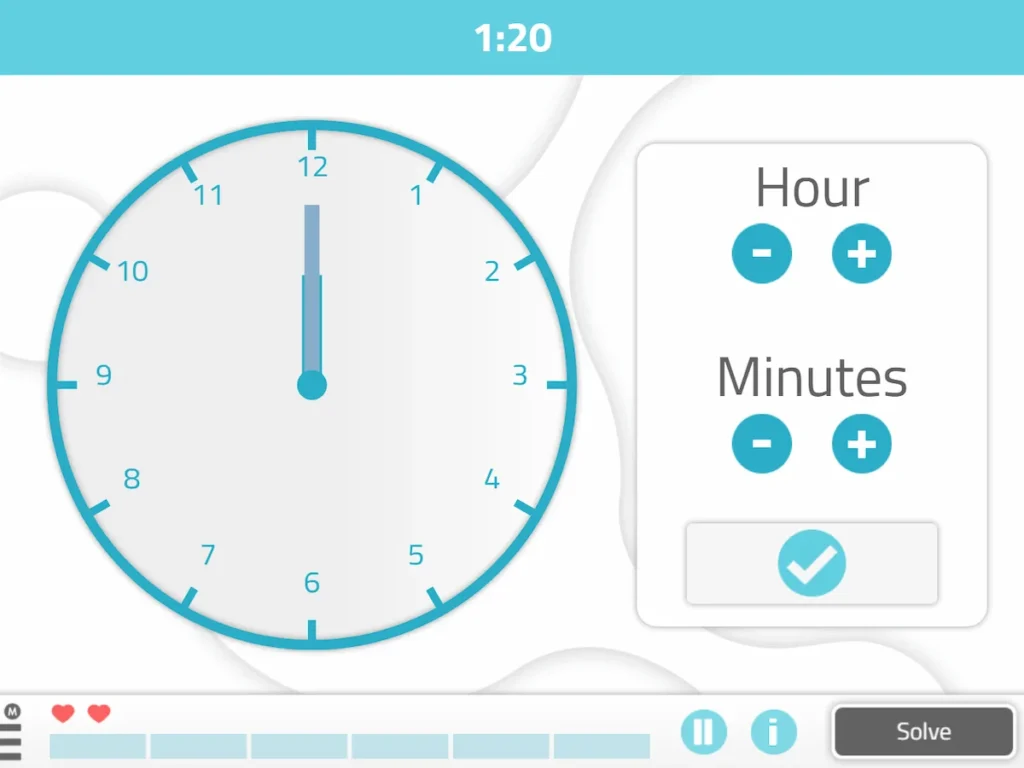
Place the hands so that the clock shows the indicated time (numeric instructions).
What does this activity work on?
- Support number recognition and comprehension.
- Support reading and writing comprehension.
- Strengthen spatial relations.
Duration
10 minutes, including the explanation of the activity and the wrap-up.
Description
- For this activity, users sit at the tables facing the projector screen. Each user is given a worksheet with blank clock faces and a pen. The materials are provided by the occupational therapist.
- The professional opens NeuronUP on the computer and selects the activity “Set the clock.”
- The difficulty of the activity increases gradually.
- No maximum time or inactivity alerts are set, since we therapists manage the time according to each user’s needs.
- After the activity has been explained to all users, it begins. A digital time appears on the projector screen, and users have to show that time on a blank clock face on their worksheet by drawing the clock hands in the right position.
- When the therapists call time, a volunteer is asked to come up to the screen and try to place the clock hands correctly. The answer is checked as a group, and if any user has difficulty, we help them work through it.
- Once each exercise has been checked, the group moves on to the next one.
Languages
This worksheet is available in Spanish, English, French, Portuguese, and Catalan.
4. Making Words
What does it involve?
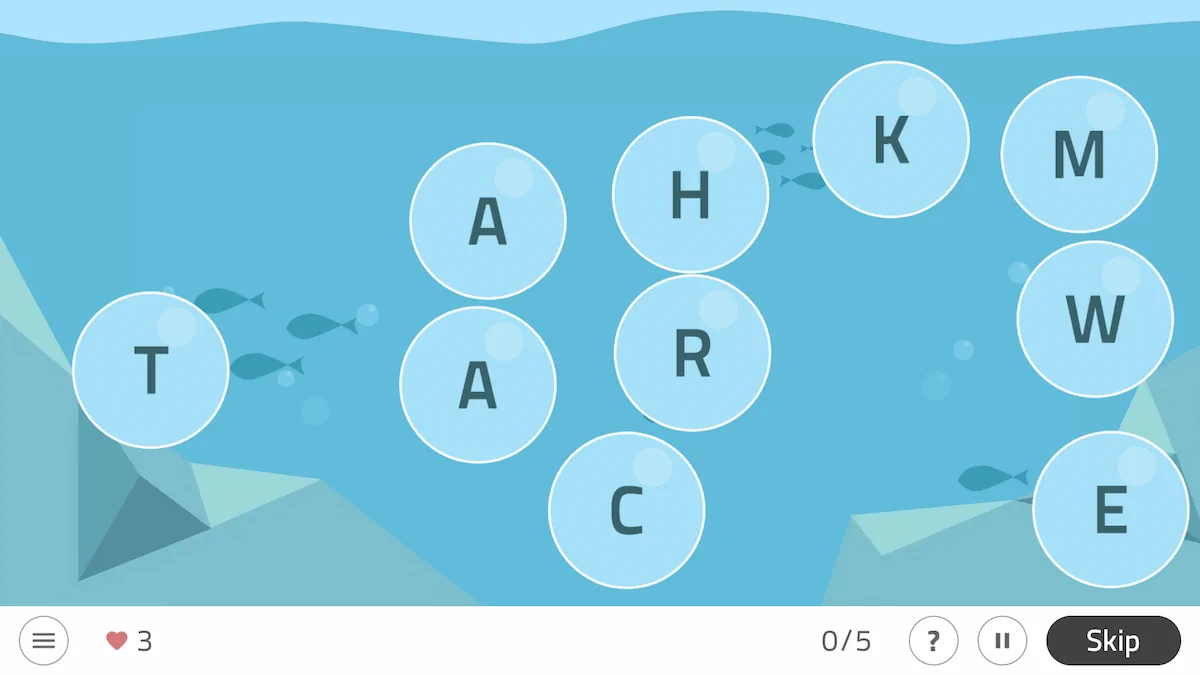
This game involves forming words by putting fragments, syllables, or individual letters in order.
Duration
15 minutes, including the explanation of the activity and the wrap-up.
What does this activity work on?
- Strengthen repetition skills.
- Support letter recognition and association.
- Promote ideation.
- Strengthen spatial relations and hemineglect.
- Reinforce focused attention.
- Stimulate short-term memory.
Description
- For this activity, users sit at the tables with a sheet of paper and a pen each.
- The occupational therapist opens NeuronUP on the computer and selects the activity “Making Words.”
- Once in the activity, a custom phase is set up with the following settings. In the general settings, the number of screens is set to 15 passed, so that if a word is too difficult, another one can be generated while keeping the total of 15 correct words we want. No maximum time or inactivity alert is set, since we control the activity and the time spent on it ourselves. The parameters are 6 bubbles with letters, one letter in each bubble.
- The activity works by projecting a screen with the bubbles containing the letters, and users have to form a word using all the letters in the bubbles. The first user to form the word says it aloud, and the occupational therapist selects the letters in the correct order on the computer so that all users can see the word. Users are asked to memorize all the correct words.
- After 5 correct words, users are asked to form a sentence with one of those 5 words and write it on their sheet. If they remember several words, they can combine them in the same sentence or write several sentences with the different words they remember.
- Once everyone has written a sentence, each user reads theirs aloud.
- After the reading, the group goes back to the activity until they get another 5 words right. At that point, they stop again to create a sentence. This is done one last time, so that by the end of the activity, a total of 15 words have been guessed correctly and each user has written at least 3 sentences.
Play by levels
It is organized into three difficulty levels: easy, medium, and hard, and some general settings and parameters can be customized to fit each user’s needs.
Languages and format
Making Words can be used in digital format in Spanish, English, and Portuguese.
Children’s version
This game has a children’s version called Word Scramble.
Conclusions of the language session for people with mild cognitive impairment
We chose to work on language in this session because we consider it one of the most important cognitive functions for daily life and for all other areas of occupation.
In older people, language is considered an area that gradually declines, which is why the main goal of the planned cognitive session is to work on language. Working on this function is especially important in people with mild cognitive impairment, since it is one of the first functions to decline.
The NeuronUP activities were chosen to cover all the processes involved in language, including expression, comprehension, fluency, writing, and reading, while also working on other cognitive functions across the board.
Possible difficulties
The difficulties that we think could arise during the cognitive session are low participation by users or, on the other hand, users participating all at once, leading to conflicts or arguments. Users may also feel frustrated if they are unable to do the activities or make many mistakes. The time planned for each activity may also be insufficient. Technology is another aspect to consider, since the internet or even the computer may fail.
To try to avoid these problems, the first step was to organize the order of the activities, starting the session with an easy activity, increasing the difficulty in the others, and ending again with an easy activity to increase users’ motivation and personal satisfaction. If participation is low, we will choose users to do the activity or the correction. If, on the other hand, there is too much participation, we will set speaking turns and mediate any disagreements that arise.
If the activities take longer than planned, one activity will be dropped from the session, since what matters is working on language, not the number of activities completed.
To deal with any technical problems, we will arrive at the room 10–15 minutes before the session to check that everything works properly. If something fails, we will use whiteboards and paper to do the activities.
Final evaluation
Overall, we found this practice very enriching, since it allowed us to design a cognitive session for a group of users, something necessary in occupational therapy for intervening in different settings or with different groups.
We also found it very interesting, since it was a first introduction to the NeuronUP platform, a truly useful tool for any occupational therapy professional and beneficial for all the users who use it.
References
- NeuronUP [Internet]. Neuronup.com. [accessed November 13, 2018]. Available at: https://www.neuronup.com/es/plataforma-rehabilitacion-cognitiva
- Ávila Álvarez A, Martínez Piédrola R, Matilla Mora R, Máximo Bocanegra M, Méndez Méndez B, Talavera Valverde MA et al. Marco de Trabajo para la práctica de la Terapia Ocupacional: Dominio y proceso. 2da Edición [Traducción]. terapia-ocupacional.com [portal en Internet]. 2010 [-fecha de la consulta-]; [85p.]. Disponible en: http://www.terapia-ocupacional.com/aota2010esp.pdf Traducido de: American Occupational Therapy Association (2008). Occupational therapy practice framework: Domain and process (2nd ed.).
Authors
Olalla Saiz Vazquez, associate professor at the University of Burgos, and her students Gloria Álvarez, Yasmina Bécares, Rosa Cruz, and Álvaro García.
If you enjoyed this article on how to create a language session for people with mild cognitive impairment, you may also be interested in these other articles:





“This article has been translated. Link to the original article in Spanish:”
Sesión de lenguaje para personas con deterioro cognitivo leve

 What cognitive functions are involved when playing Pac-Man?
Leave a Reply