

NEURONUP PATIENTS
Centralize your patients’ information with NeuronUP and make better decisions every day
Assign personalized sessions, automate the recording of results, and assess each patient’s progress from a single place.
What is a patient in NeuronUP?
In NeuronUP, patients are the people professionals work with, whether they are patients, users, or students.
You can choose the terminology that best suits your center and decide whether you want the platform to refer to them as patients, users, or students.
By creating an individual profile for each patient, you can centralize their information, plan personalized interventions, assign sessions and programs, automatically record their results, and track their progress from a single place.
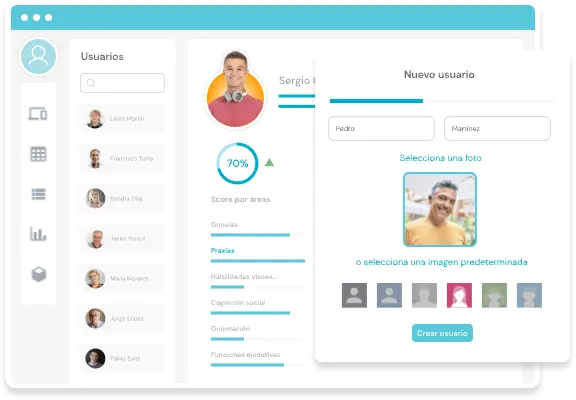
Discover the advantages of creating a patient in NeuronUP
Creating a patient profile is quick and easy. In this video, you will learn how to access patient management, create a new profile, and add the information you need to start working with them.
How does creating patients in NeuronUP help you?
All the information about each patient in one place
How many tools do you currently use to access your patients’ information? NeuronUP lets you group and organize their personal details, reports, medical tests, notes, schedule, sessions, programs, and results in a single profile, so you can easily access what you need and follow up on each intervention in a more organized way.
Improve coordination between professionals
You can define which professionals will work with each patient. This feature is especially useful when different professionals at the same center work with the same person, as it makes coordination easier and shows who is involved in their treatment or follow-up.
Reinforce the intervention with home sessions
With NeuronUP2GO, you can send sessions so your patients can work from home and keep reinforcing what they have learned at the center. The professional designs the session in advance, and the patient accesses it remotely from their own device, following the established plan.
Save time recording results
Every time a patient completes an activity, session, or program, their results are saved automatically to their profile. There is no need to manually transfer data to another system: you can review their performance, identify changes, and redefine the intervention based on their progress.
How do you create a patient in NeuronUP?
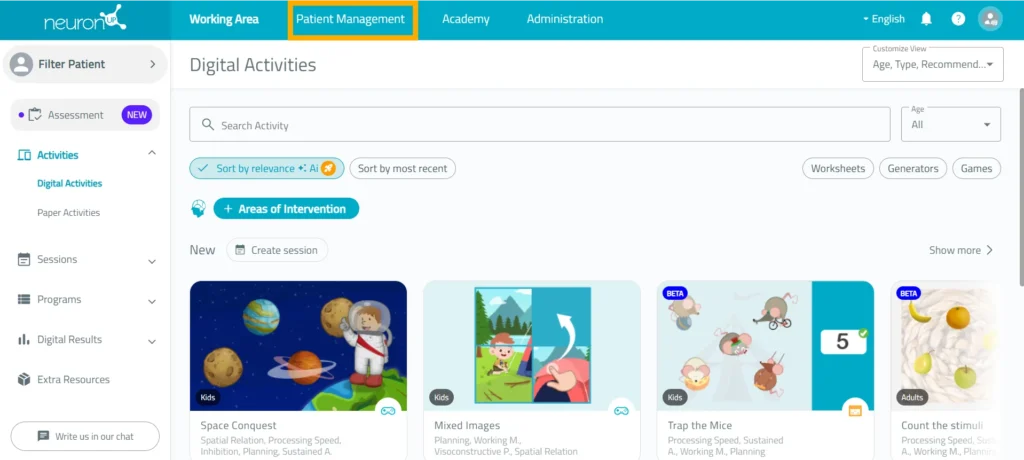
1. Go to “Patient management”
Log in to NeuronUP and click the “Patient management” tab at the top of the platform.
From this screen, you can view existing patients and create new profiles.
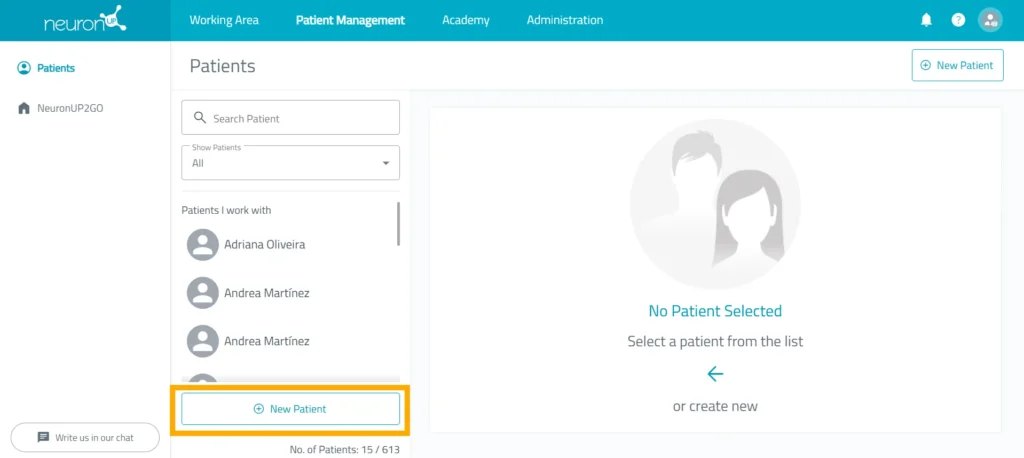
2. Click “New patient”
Select the “New patient” option on the right side of the screen.
Next:
- Enter the patient’s first and last name.
- Upload a photo or select an avatar.
- Click “Create”.
The new profile will automatically appear in your patient list.
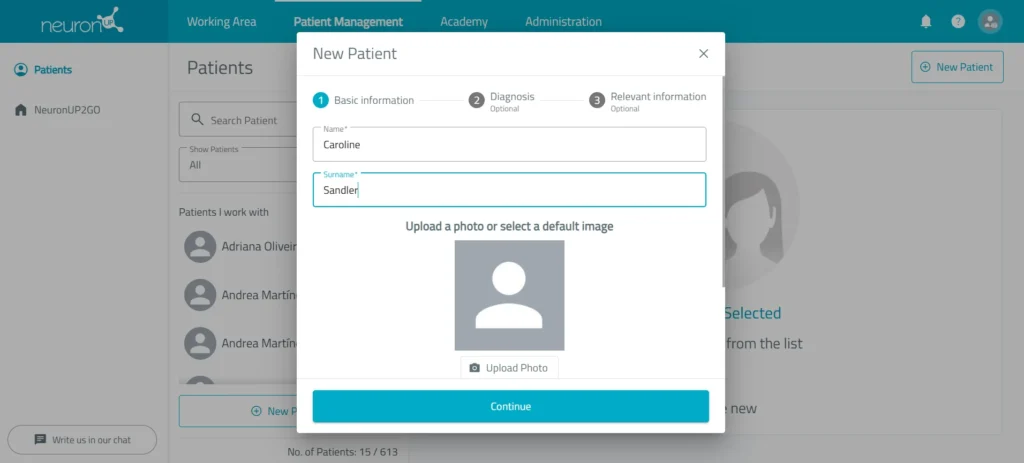
3. Complete the profile
Add the diagnosis, if there is one, and the sociodemographic information (sex, date of birth, native language, country of residence, education, and dominant hand). The more complete this information is, the more accurate the rest of the tools will be.
Once the patient has been created, click “Edit basic information” to add or modify their information whenever you need to.
What can you do from patient management?
From the NeuronUP patient management screen, you can:
- Add and update the information for each patient.
- Define the professionals who will work with each patient.
- Create and manage their NeuronUP2GO login credentials (sessions for working remotely with your patients).
- View and manage each patient’s sessions.
- View and manage each patient’s programs.
- Access and view each patient’s results.
- Review the progress of each patient with NeuronUP Score.
Learn more about
NeuronUP


Frequently asked questions
Is there a limit to how many patients I can create in NeuronUP?
It depends on your plan. The Basic plan lets you create up to 15 patients, while the Pro plan lets you create up to 60 users or patients.
Can patients be deleted?
Yes. From “Patient management”, select the patient you want to delete. In their profile, you will find the “Delete” option.
Can I edit a patient’s information after creating them?
Yes. From “Patient management”, you can select the profile you want to modify and update information such as name, diagnosis, sex, date of birth, country of residence, native language, or education.
You can also add documents, reports, treatments, contact details, and other information relevant to the patient’s follow-up.
Can I work with several patients at the same time?
Yes. You can work with several patients simultaneously, as long as you have one device for each of them.
To do so, assign the session to the patients you want to work with, log in to your professional account on the different devices, and start the corresponding session on each one.
At the following link, we show you how to do it step by step: https://youtu.be/htPKysGpAOw
Can I change the word “patient” to “user” or “student”?
Yes. NeuronUP lets you choose between three terms: user, patient, or student, so you can adapt the platform to the type of center or intervention.
You can change it from “Administration”. Go to “Relevant information”, click “Edit relevant information”, and under the option “What do you want to call your patients?”, select the term you prefer.
Can several professionals work with the same patient?
Yes. You can define the professionals who will work with each patient, making coordination easier when several people are involved in the intervention.
How can I check a patient’s progress?
You can review their results and use NeuronUP Score to compare their current performance with their previous results and analyze their progress.